RATIONAL SCC 61 and SCC 101 Repair
Independent service for RATIONAL SelfCookingCenter SCC 61 and SCC 101 combi ovens in restaurants, hotels, bakeries, commissaries and institutional kitchens.
One complaint, several systems
These are multi-system commercial ovens. A reported “oven problem” can involve hot-air heat, the steam and water side, the fan and airflow, the drain and quenching path, the door and its interlock, the core probe, the CleanJet or CareControl system, the controls, or the installation conditions around the machine.
Model generation, cabinet size and gas or electric configuration change what applies, so the unit is identified before any diagnosis is discussed.
Identify the unit before service
What to have ready
- Whether the unit is an SCC 61 or an SCC 101 family machine
- SelfCookingCenter generation and index as shown on the rating plate
- Gas or electric configuration
- The displayed message or code, photographed exactly as it appears
- Which modes still work — hot air, steam, combination, low-temperature programmes
- When the symptom began, and whether it followed a cleaning cycle, water or filter work, a power interruption or another service visit
Rating-plate and model information should be sent privately with a request rather than posted publicly. Serial numbers are not published on this site and are not needed in public messages.
Common service patterns
None of these patterns proves a failed part. Each one narrows where measurement starts. A single steam complaint is covered in more depth in the no-steam guide.
Diagnostic sequence
How the visit is run
- Review the information stored and displayed by the control, together with the operator timeline of what changed and when
- Verify utilities and installation conditions — power, water supply and quality, drain and ventilation
- Compare hot-air behaviour against steam and combination behaviour, because the two sides fail differently
- Measure cabinet and probe temperatures, sensors, fan operation and control outputs according to the exact model and configuration
- Check fill, level and drain behaviour, and how the care system responds through a cycle
- Recommend parts only once the measured evidence supports them, not from the symptom alone
Downtime and maintenance planning
In a kitchen that cannot afford to lose a combi at service time, the useful question is when the unit is inspected, not how fast someone arrives afterwards. Planned inspection intervals are set from actual usage, local water quality, care-cycle history, the symptoms already seen and the exact unit in the room.
Findings are documented each visit and service windows are agreed with the kitchen around production hours. KONGRA does not promise zero downtime or a fixed response time, and parts availability is checked against the exact model after inspection.
Recurring coverage is arranged through preventive maintenance or a maintenance agreement.
Documented RATIONAL installation
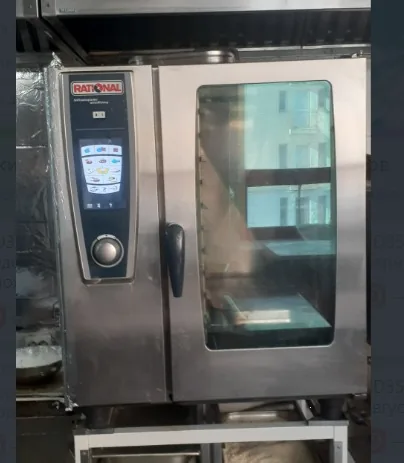
Installed RATIONAL combi oven documented in a commercial kitchen. Diagnosis and repair scope follow an inspection.
A RATIONAL SelfCookingCenter documented in an installed commercial kitchen. The photograph records equipment context only.
No specific repair, failed component or completed outcome is claimed from this image. Diagnosis and repair scope follow an on-site inspection of the individual unit.
A cleaning-cycle fault on a different SCC configuration
In a separate SCC WE 62G assessment, Service 34-5 appeared after CleanJet and moisture was observed at the lower door control. A technician's isolation test changed the fault indication; control and sealing work were proposed, with no completed repair recorded. This is a different configuration from the SCC 61 and 101, so its fault path and parts must not be transferred to those models. Read the documented SCC WE 62G investigation.
Before booking
Please have the exact displayed message or a photo of it, the model and generation, gas or electric configuration, which modes are affected, the status of the last cleaning or care cycle, any recent water, filter or plumbing changes, and your workable operating window.
Please do not enter service mode, remove panels, bypass door interlocks or run test cycles to reproduce a fault. Those checks belong to the visit, with the utilities isolated and the cabinet cooled.
Manufacturer information
- Public SelfCookingCenter operating instructions
- RATIONAL technical documentation portal
- RATIONAL customer care and service information
General system and generation facts on this page are paraphrased. Service procedures, fault lists, diagrams and technician-only instructions are not reproduced here.
Book an SCC 61 or SCC 101 diagnostic
Book Online is the fastest way to reserve a time. You can also send a service request. Facilities teams and multi-site operators can ask for a maintenance agreement instead of a single visit.